
KFC US - Ordering App
KFC USFood & Drink
3.28.98K Reviews
- Version
- 2026.11.0
- Installs
- 5.00M
- Age Rating
- Everyone
Screenshots
Our Review of KFC US - Ordering App
 Analysis by Appyee
My first-week impression of the KFC US - Ordering App is that it makes a familiar meal feel easier to arrange. When I already know I want KFC, having the menu and checkout on my phone is more useful than searching around or deciding at the counter. That convenience is the main reason I’d try it; it isn’t a replacement for every way of ordering, and its value depends on how often KFC fits into your routine.
Where the first-week appeal comes from
The app is a free Food & Drink app from KFC US, and its purpose is refreshingly narrow: help customers browse and order from the chain. I wouldn’t install it expecting a general restaurant guide. It makes the most sense when you’ve already settled on KFC and want to get from “what should we eat?” to a chosen meal with fewer steps.
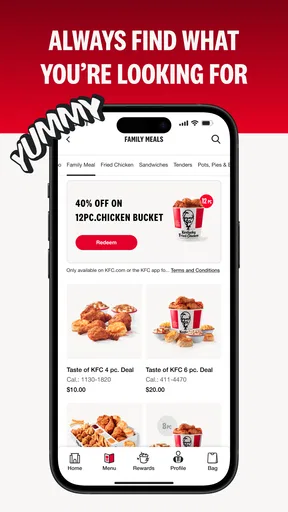
A useful first test is to browse before you’re hungry. Looking over the menu while you have a moment gives you time to compare a familiar bucket meal with a sandwich or sides, rather than rushing through a decision at checkout. Menu details and images can help with that choice, though I’d still treat the restaurant’s current selection as something to check when you’re ready to order: what feels available and appealing can vary by location and occasion.
A practical routine, not a new habit to maintain
For a realistic weekday use, imagine you’re heading home and need to sort out dinner for more than one person. I’d use the app to look through the meal options first, decide what suits the group, then choose whether pickup or delivery makes more sense for that evening. The practical win is having the order decision in one place. It can reduce the back-and-forth of calling or deciding at the counter, but it doesn’t remove the need to check the order carefully before paying.
That last check matters more when several people are eating. I’d review the basket item by item, especially sides and any changes to a sandwich, so a quick order doesn’t become a round of corrections later. A small habit like confirming the selected location and order type before checkout is also worthwhile. For pickup, the destination is easy to overlook when you’re focused on the food; for delivery, the address and delivery details deserve the same attention.
How it fits beside other ways to order
Compared with walking into a KFC, the app is better for deciding at your own pace and arranging an order before you reach the restaurant. Going in person is still the more straightforward option if you want to ask a question face to face, see what is available at the counter, or change your mind while ordering. A phone call may suit someone who prefers speaking to staff, while the app is more convenient when you’d rather handle the choices yourself.
It also has a narrower role than a multi-restaurant delivery service. Those services are more useful when you’re comparing several places or choosing based on what is nearby. KFC’s own app is a better fit when you’ve already picked the chain and want a direct route to its menu and ordering choices. I wouldn’t keep it installed just to browse food in general; its recurring value comes from being a regular KFC customer, not from offering a broad view of local restaurants.
What to expect over time
The app has an average rating of 3.2 from around 26,000 ratings, and it has passed five million installs. Those figures suggest it’s widely used but not universally loved, so I’d approach it as a practical ordering tool rather than assuming every visit will be flawless. Its age rating is Everyone, and the current version is 2026.2.0. It first appeared on February 12, 2021, and supports Android 8.0 or later.
For me, month-to-month value would come down to whether the app keeps saving effort on the occasions I want KFC. A deal can make a particular order more appealing, but I wouldn’t build a routine around expecting the same offer to appear every time. Check what is actually shown before you settle on a meal, and compare the final basket with what you intended to buy. That keeps the app useful without letting a promotion steer you into ordering more than you wanted.
The small costs of convenience
Even a simple ordering workflow asks for a little attention. You need to make the menu choices, confirm the order details and follow the steps through checkout. If your order is unusual, if you have questions that are easier to explain aloud, or if you’re not sure what you want, placing it in person may be less frustrating than tapping through a screen. The app is most helpful when you can describe your order clearly to yourself before you begin.
Delivery tracking can be reassuring after checkout, but it shouldn’t be confused with control over the delivery itself. I’d use it to get a sense of progress, not as a reason to leave timing to the last minute. If dinner has a fixed start time, ordering with some breathing room is the safer approach. That is a general planning habit rather than a promise about arrival times, which can depend on the circumstances of an individual order.
Who is likely to keep it?
I can see the app earning space on the phone of someone who orders KFC repeatedly, especially if they often make the same kind of decision for a household or prefer to arrange pickup ahead of arriving. It may also suit anyone who likes comparing menu choices quietly before committing. By contrast, an occasional customer who usually walks into a nearby restaurant may not gain enough from installing a dedicated app. Someone choosing among lots of restaurants will probably get more use from a broader food-ordering option.
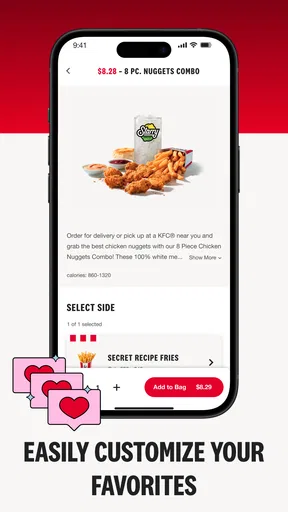
There are a few questions I’d answer before relying on it as my default. Can I order for pickup as well as delivery? The ordering flow offers both choices, so you can select the one that fits the occasion. Can I adjust what I’m buying? The app supports customization, though I’d check each item and the completed basket rather than assuming every possible change is available. Is there a reason to open it even when I’m not ready to order? Browsing can help you plan, but its strongest purpose is still completing a KFC order.
Getting Started with the App
Diving straight into the KFC US - Ordering App, the first thing that caught my eye was the clean and user-friendly interface. I mean, who doesn’t appreciate an app that doesn’t make you feel like you’re solving a Rubik’s Cube just to place an order? The registration process was straightforward. A few taps to input my details, and boom—I was ready to explore the finger-lickin’ goodness.
Browsing the Menu
Once you’re in, the menu is laid out in a way that makes it super easy to navigate. You’ve got your classics like the famous Bucket Meals, along with some newer items that had me curious. Each item comes with detailed descriptions, which is perfect if you’re indecisive like me. I spent a good five minutes just drooling over the pictures. It’s like having a menu in your pocket, and let’s be honest, who wouldn’t want that?
Customization and Special Offers
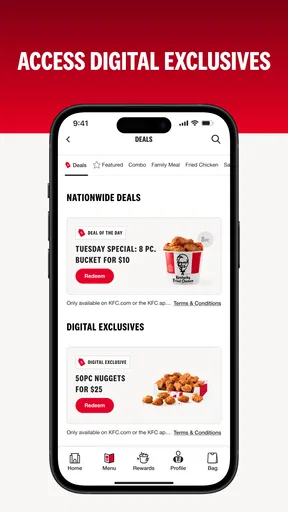
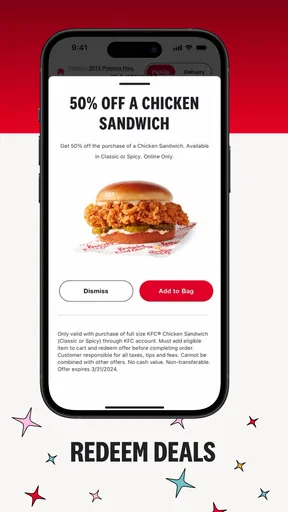
One of the features I loved was the ability to customize my order. Whether you want to tweak your sandwich or add extra sides, the app has got you covered. Plus, they often have special offers and deals that you can’t resist. I snagged a discount on my first order, which was a pleasant surprise. Saving money while satisfying my cravings? Yes, please!
Placing an Order
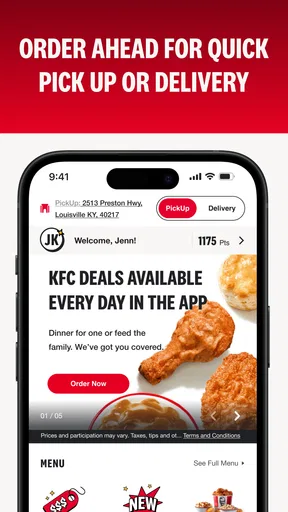
Placing an order was smooth sailing. After selecting my items, I proceeded to checkout where I could choose between pick-up or delivery. I opted for delivery because, well, comfort is key. The app allowed me to track my order in real time, so I wasn’t left staring at the door, wondering when my food would arrive. It was a neat addition that kept my hangry self in check.
Payment and Security
Now, let’s talk payments. The app supports various payment methods, including credit cards and mobile wallets, which is super convenient. I felt secure knowing that my payment information was handled safely. I mean, in today’s world, you can never be too careful, right?
User Experience
Overall, the user experience was top-notch. The app didn’t crash, and everything loaded quickly. That’s a huge plus in my book, considering how some apps feel like they’re stuck in the stone age with their loading times. The developers clearly put thought into making the app both functional and aesthetically pleasing.
- Easy navigation
- Real-time order tracking
- Secure payment options
- Special offers and discounts
Final Thoughts
So, would I recommend the KFC US - Ordering App? Absolutely. It’s perfect for those moments when you need your chicken fix without the hassle. Whether you’re a KFC regular or just a curious foodie, this app makes the entire ordering process a breeze. It’s like having a little piece of KFC magic right on your phone.
In the end, the app delivered on its promise of convenience and efficiency, making it a must-have for any chicken enthusiast. So, what are you waiting for? Give it a try and maybe we’ll bump into each other in the virtual queue!
Privacy and Permissions
See what permissions an app requests and how it handles your data.
- Location
- approximate location (network-based), precise location (GPS and network-based)
- Wi-Fi connection information
- view Wi-Fi connections
- Other
- view network connections, full network access, run at startup, control vibration, prevent device from sleeping
Verdict
Strengths of KFC US - Ordering App
- Easy to navigate interface.
- Quick order customization options.
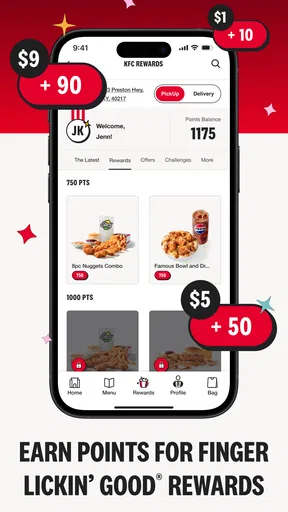
- Loyalty rewards and discounts.
- Real-time order tracking.
- Secure payment methods.
Limitations of KFC US - Ordering App
- Limited delivery areas.
- Occasional app crashes.
- No dietary info provided.
- Slow customer support response.
- Requires frequent updates.
Similar Picks in This Category
View All
Rappi: Food Delivery, Grocery
Rappi, Inc - Delivery3.5

McDonald’s: Cupons e Delivery
Arcos Dorados4.3

Swiggy: Food Instamart Dineout
Swiggy4.7

Blinkit: Groceries & more
Blinkit4.8

foodpanda: food & groceries
Foodpanda GmbH a subsidiary of Delivery Hero SE4.0

Zomato: Food Delivery & Dining
Zomato4.7
Frequently Asked Questions
What features does the KFC US - Ordering App offer?
The KFC US - Ordering App provides a seamless experience for ordering your favorite meals. It allows you to customize your order, find nearby locations, and access exclusive deals. You can also save your favorite orders for quick reordering, and track your order status in real-time.
Is it possible to use the KFC US app for delivery and in-store pickup?
Yes, the KFC US app supports both delivery and in-store pickup options. You can select your preferred method at checkout, making it easy to enjoy your meal wherever you are. The app provides estimated delivery times and notifies you when your order is ready for pickup.
Are there any exclusive offers available through the KFC US app?
The KFC US app often features exclusive deals and promotions that are not available elsewhere. By using the app, you can access special discounts and offers on your favorite menu items, making it a great way to save money while enjoying your KFC favorites.
How secure is the payment process on the KFC US app?
The KFC US app utilizes secure encryption to protect your payment information. It supports various payment methods, including credit cards and digital wallets, ensuring a safe and convenient checkout process. You can trust that your personal and financial data is handled responsibly.
Can I customize my order on the KFC US app?
Absolutely, the KFC US app allows for extensive customization of your order. You can modify ingredients, choose specific meal combinations, and add extras according to your taste. This feature ensures that you can tailor your meal to your preferences, enhancing your dining experience.
